Environmental Hazard
Dust, smoke and air quality, tied to what caused them.
The Environmental Hazard agent detects smoke, fire and sparks on camera and brings in readings from connected dust, PM10, gas and noise sensors. When a reading climbs, it shows the footage from the same minute and zone, so you can find the source and fix it before a limit or a planning condition is breached.
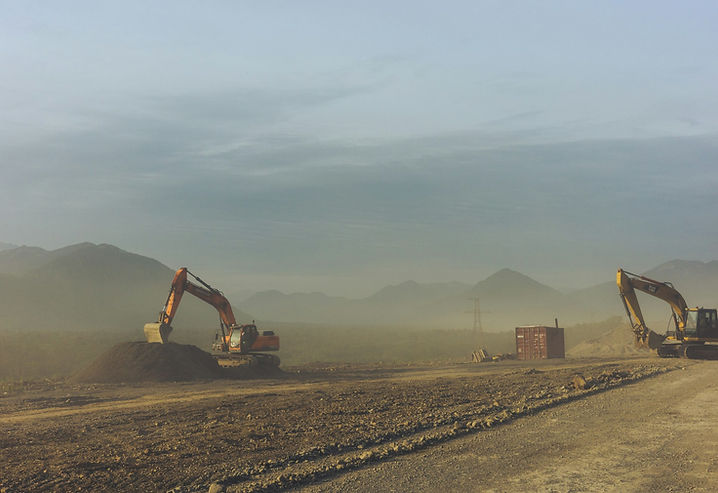
Environmental Hazard agent
Combines camera detection of smoke and sparks with readings from connected sensors.
Trusted on live sites
Scopis runs on active construction sites, automotive sites and utility infrastructure.




Offices in Dublin and Hong Kong
What the Environmental Hazard agent does on your site
- Smoke, fire and spark detection
- Works with dust, gas and noise sensors
- Readings matched to the footage
Live in four steps
- 01
Connect
Existing ONVIF cameras, or solar 4G units where there is no power or network.
- 02
Configure
Draw the zones, set the schedule and choose who gets which alert.
- 03
Set the bar
Choose how confident the agent must be before it acts on its own.
- 04
Act and record
Warning on site where it applies, alert with the clip, and an audit entry.
Environmental Hazard: common questions
Does the Environmental Hazard agent need new cameras?
No. It runs on existing ONVIF fixed and PTZ cameras. Where a site has no power, network or cameras, solar 4G units add coverage and report into the same platform.
Does someone have to watch the Environmental Hazard alerts?
No. It acts on its own above the confidence threshold you set. Below it, events can go to optional human review by a licensed monitoring partner, only if you want that.
Where is the Environmental Hazard agent used?
Typically on energy and quarries sites, alongside other Scopis agents on the same cameras.
Related agents
PPE Compliance
Spots missing or incorrect helmets, hi-vis and other PPE as people enter and work.
See the agentFatigue & Ergonomics
Flags risky posture and repetitive strain so teams can rotate tasks before injuries happen.
See the agentDanger Zone Intrusion
Watches restricted high-risk areas and reacts the moment someone walks in.
See the agentSee the Environmental Hazard agent on your own cameras.
A 30-minute walkthrough on live deployments, then a pilot on one zone of your site before anything is committed.