Key takeaways
- Most people-plant incidents happen inside zones everyone already knew about. The gap is enforcement, not planning.
- Use two tiers: an amber warning zone and a red stop zone, each with a different response.
- Zones must move with the works. A zone drawn in week one is often wrong by week three.
- Tell the workforce why the cameras are there, and record it in a DPIA before you switch on.
Why exclusion zones fail on paper
Every lift plan, excavation method statement and traffic management plan already defines where people must not be. The problem is that a plan is drawn once, and a site changes every day. Barriers get moved, banksmen get pulled onto other tasks, and the person who walks behind a slewing excavator usually knows the rule. They just didn't think it applied for the ten seconds they needed.
14
of 58 work-related deaths in Ireland in 2025 involved being struck by a vehicle
10
construction deaths in Ireland in 2025, double the year before
25
construction deaths involving plant, machinery or vehicles across the island of Ireland, 2016–2025
Camera-based zone monitoring doesn't replace physical segregation, barriers or a banksman. It closes the gap between the plan and the moment: it notices the breach, warns the person while it is still a near miss, and gives the supervisor a record of where the plan isn't working.
The three kinds of zone you need
- 1
Fixed zones
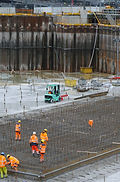
Areas that stay put for weeks: a tower crane's lifting area, a deep excavation, a materials laydown under live loads, a site entrance where plant and people cross.
- 2
Plant-following zones
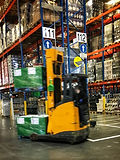
The working radius around a specific machine, such as an excavator's swing radius or a telehandler's reversing area. These matter wherever the machine is working, not just where it was parked.
- 3
Works-package zones
Temporary areas tied to a task and a time window: a pour, a lift, a pipe-laying run. They should arm when the task starts and disarm when it ends, so nobody learns to ignore them.
Amber and red: two tiers, two responses
A single zone that alarms on every entry quickly becomes background noise. Two tiers work better. The amber zone is a warning: someone is closer than they should be, so they get a spoken warning on site and nobody else is disturbed. The red zone is a stop: the person is inside the danger area, so the operator and supervisor are alerted at once with the clip.
Where to put the cameras
- Look across the zone, not straight down it. A camera at an angle sees people approaching the boundary; one pointing along the line sees them only once they are in.
- Mount high and stable. Height reduces the chance of plant or stacked materials blocking the view. Vibration and wind blur the image and cause missed detections.
- Cover the approach routes. Most breaches happen where a walkway meets a plant route. Put the zone edge where people actually cross.
- Plan for night and weather. Floodlit areas, IR or full-colour night cameras, and lenses kept clean in dusty work.
- Use existing cameras first. Site CCTV that already covers the area can usually run zone detection. Add solar 4G units only where there is no power or network.
What should happen when someone walks in
- 1
Warn on the ground
A spoken message, siren or strobe at the zone itself. The goal is that the person steps back before anyone has to intervene.
- 2
Alert the right person
Red-zone breaches go to the operator and the supervisor for that area, not to a general inbox.
- 3
Attach the evidence
A short clip, the zone name and the time, so the alert can be checked in seconds.
- 4
Record it
Every breach is logged by zone, shift and contractor. Patterns show where the layout or the briefing needs to change.
The aim isn't to catch people out. It's to turn the near miss nobody reported into a record you can actually learn from.
Keeping zones current as the site changes
Make zone review part of the weekly look-ahead. When the programme moves a task, the zones move with it. Link zones to schedules so they arm automatically at the start of a shift or task, and group zones by works package so one change updates them all. If a zone produces breaches every day in the same spot, that is usually a layout problem, not a people problem.
Privacy, data protection and buy-in
Monitoring a workplace with cameras is processing personal data under GDPR. Before switching on, record why you need it and how you limit the impact in a Data Protection Impact Assessment, set retention periods, put up clear signage and update your privacy notice. Tell the workforce plainly that zone alerts exist to prevent injuries, and say what they will and won't be used for.
Exclusion zone checklist
0/7 doneCommon questions
No. It is an extra layer that notices breaches and warns people in the moment. Physical segregation, barriers and banksmen remain the main controls in your plan.
Sources
Niall Dorr
Founder of Scopis AI. More than 25 years in computer vision, three computer vision patents, and a career building machine vision and remote monitoring systems.
LinkedIn